L'Atelier de Kriss

Design and digitising

From ideato finished product

Beyond bench work, L'Atelier de Kriss brings its design-office experience to bespoke knifemaking projects.

ZWCAD 3D Pro, the design software used at the workshop

The design office

From drawing to manufacturing file

Every project starts with a dedicated study and a model of the project built in ZWCAD 3D Pro. This stage pins down the shapes, dimensions and thicknesses of the knife before a 3D-printed prototype is made or the files for laser cutting are prepared. The workshop also converts between file formats to suit whatever your manufacturer needs.

Depending on what you need, L'Atelier de Kriss can handle a straightforward digitising job or take a project through from end to end: designing a knife, creating a range of table knives, producing a one-off or a small artisan run, personalisation by engraving, and the design of the case and packaging through a specialist supplier.

Whether you are a private customer, a restaurateur, a company or a brand owner, you get one-to-one guidance from the first sketch through to the finished product.

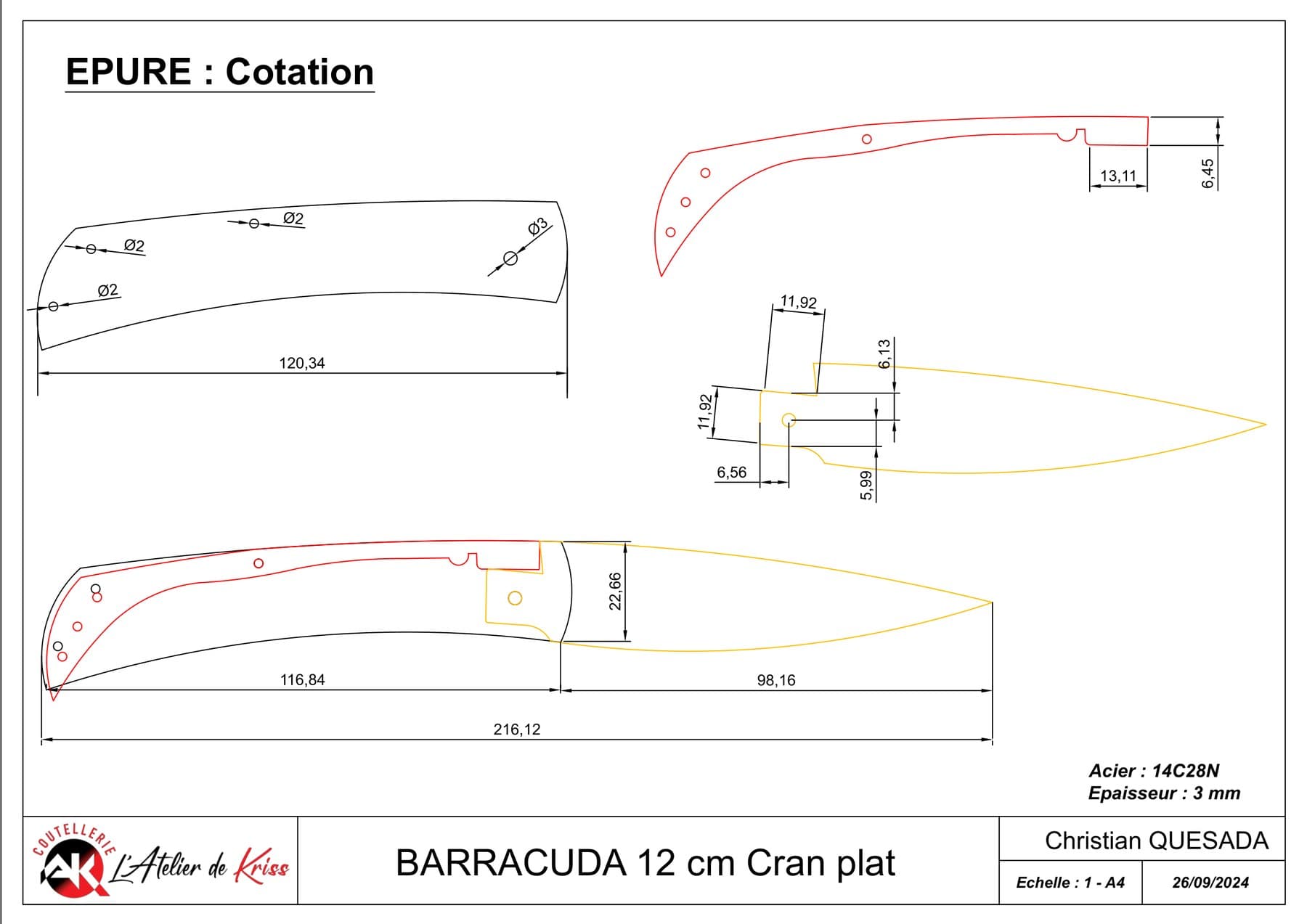
The technical sheet: dimensions, steel, thickness and a title block in the project's name

The service

Study – Digitise – Deliver the files

Step 1

Digitising your project

Study and digitising are the first steps in turning an idea into a file you can manufacture from. Whether your project is still a sketch or rests on an existing model, the workshop takes it through to a proper drawing.

  • From a freehand sketch and its main dimensions
  • From an existing drawing
  • From a blade scanned to scale or dimensioned
  • To reproduce a model, alter it, or prepare it for production
Step 2

File delivery

Files are supplied in the format you ask for, most often DXF, compatible with the main laser-cutting processes. Each file comes with a technical sheet that keeps the data unambiguous and the project traceable.

  • Project reference and client identity
  • Steel grade and material thickness
  • Quantity to produce and production notes
  • Title block in your company's or project's colours

How it runs

Four stages

  1. Study

    Talking through the project, reading the sketch or measuring up the existing blade.

  2. Modelling

    Digitising in ZWCAD 3D Pro.

  3. Prototype

    3D printing at the specified thickness, to confirm the digitised model.

  4. Files

    Delivery of the DXF ready for laser cutting, with its technical sheet alongside.

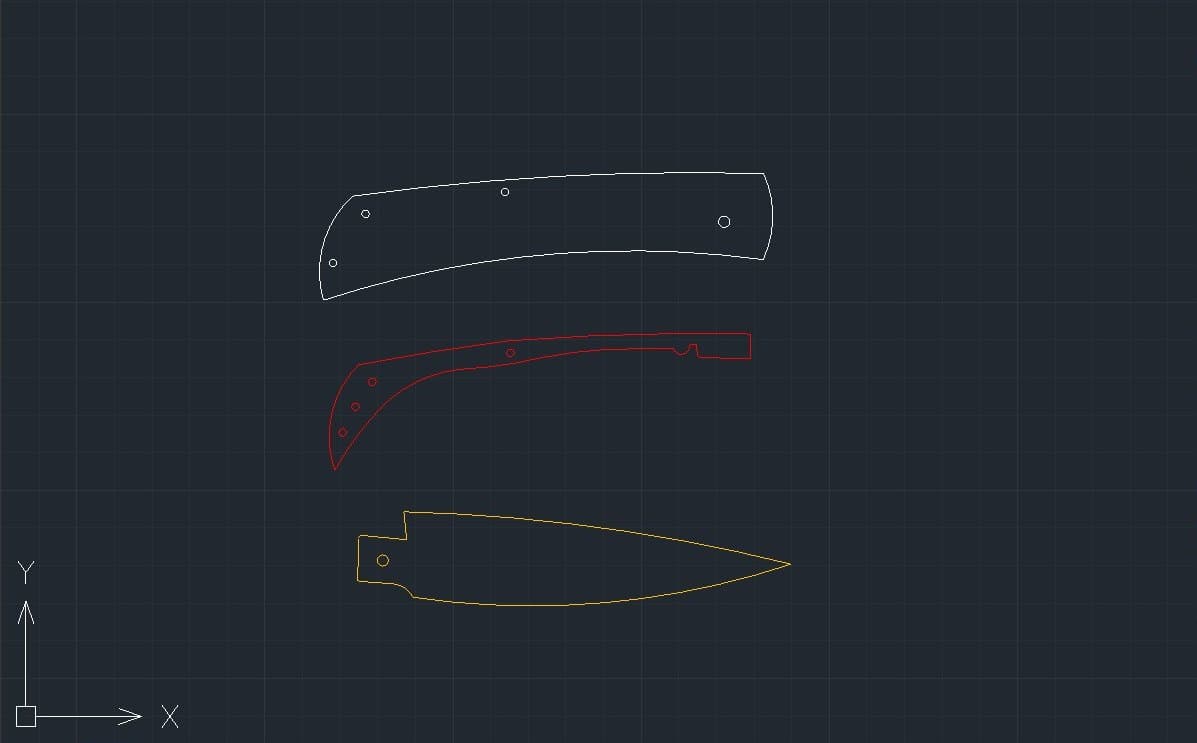
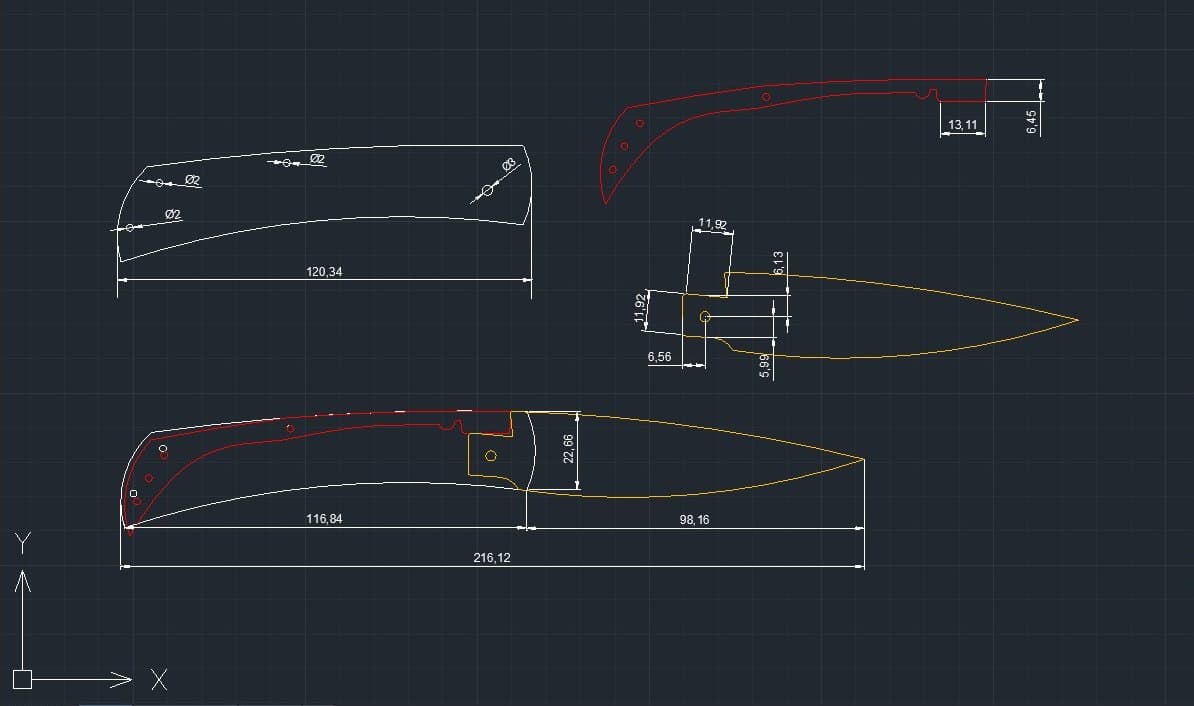
The Barracuda folder modelled up, with its main dimensions
Cutting file stripped back to its outlines, ready for laser cutting
Files are sent individually. One file per cutting project, named with the date it was produced and the project name.

Files ready to be cut

Files are supplied in DXF format, directly usable by companies specialising in digital cutting.

Depending on the company and the equipment involved, a prototype may be requested to check the file against their software and cutting process. That step is therefore not systematic.

I work regularly with certain cutting companies in Thiers, who already know my files and my way of working. I can point you to these partners if you wish, to make the exchanges easier and, where possible, to limit prototyping costs.

3D printing

Rendering the piece before cutting

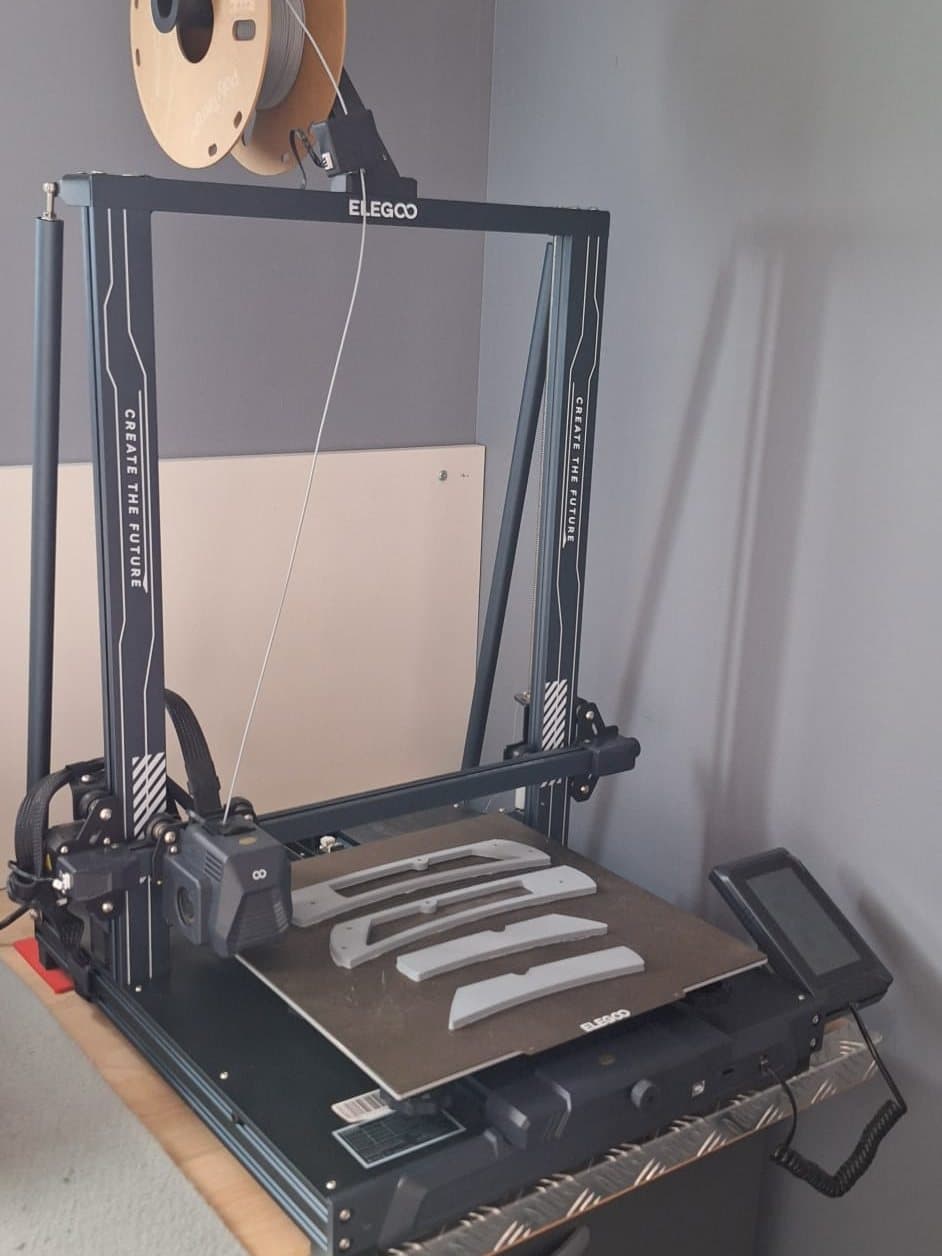
The workshop has its own 3D printer. Before anything is cut, the piece can be produced as a 3D print where needed.

So that you keep a physical record of the digitised model, the prototype is handed over with the file.

Seeing it before making it

For table knives, 3D printing makes it possible to see the final shape of the project in the round before it is made.

Several outline models can be printed in filament to judge the proportions, the feel in the hand and the details of the shape. These trials confirm the final model before any steel is cut.

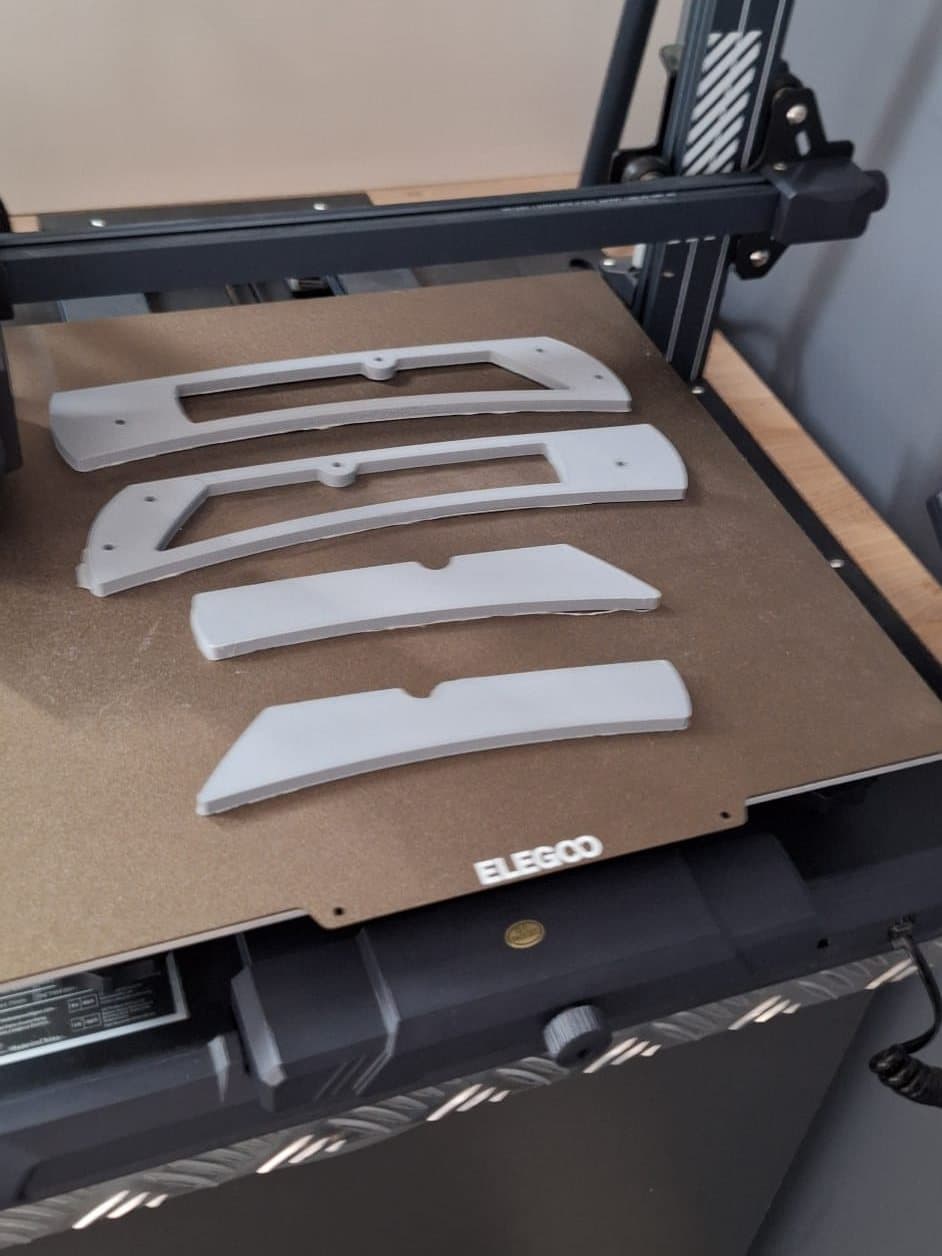
I also produce my own jigs at twice scale, for use with my pantograph.

The workshop's 3D printer, mid-print
Jigs printed at twice scale, ready to be mounted on the pantograph

Who it is for

For knifemakers looking to design or develop a project before laser cutting

One piece or a small run

Reproduce a knife you are attached to, make it evolve, or have a project drawn up before making it or putting it into production.

From project to finished product

From the study of the project through to its final making, every stage can be thought through as a whole, down to the case or presentation box. Small runs of table knives can be designed (minimum quantity to be agreed). Personalisation by engraving, choice of materials and finishes, and packaging design.

Output formats: DXF most of the time, or whatever your manufacturer needs — conversion is part of the job.

A project to make?

A sketch, a knife to reproduce, a range to develop. Let us look at the possibilities together.